
Lights and rendering
Lights, shadows, volumetric fog and the look of your level.
Lights
Add a light from Create → Lights or from Place Actors.
| Light | Use it for |
|---|---|
| Directional | The sun: far away, only its rotation matters |
| Point | A bulb that shines in every direction |
| Spot | A cone, with an inner and an outer angle |
Each one has a color, an intensity, a range and Cast Shadows.
Light Tuning
The Light Tuning block in Details has the finer controls:
- Temperature: the color from kelvin: 1800 K is a candle, 3000 K a bulb, 5500 K the noon sun.
- Soft Shadows: how big the light is. Shadows blur the farther they are from what casts them.
- Volumetric: the light shines through the level’s fog.
- Advanced: shadow bias and, for the sun, shadow distance and cascades.
Volumetric light
Volumetric fog gives you light shafts, from a sun through a window or from a lamp in a dark room.
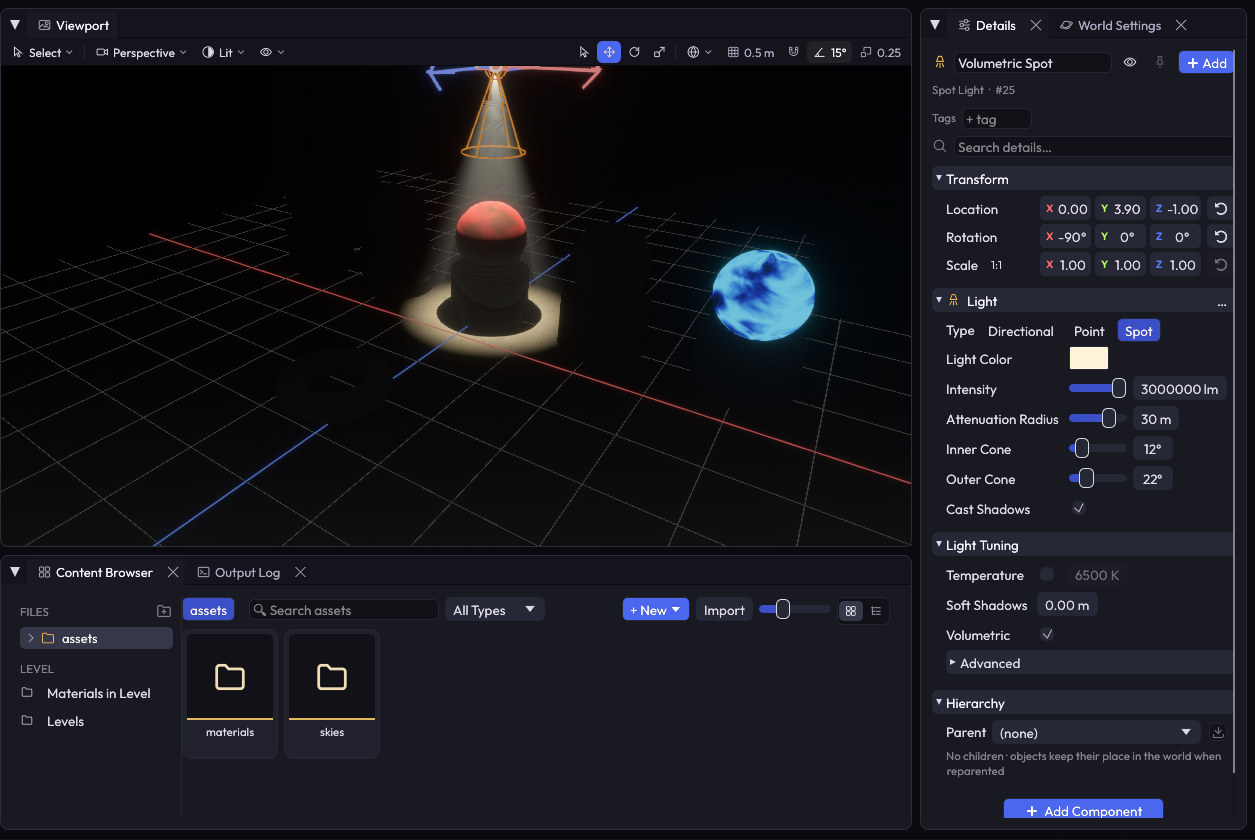
- Open World Settings and turn on Volumetric Fog. Fog Density of 0.02 is a light haze.
- Select a light and turn on Volumetric in Light Tuning. The sun has it on by default, and the rest don’t, because each light adds cost.
- For a low mist, turn on height fog: the fog stays below the height you choose.
A light needs Cast Shadows for objects to block its shafts. Volumetric fog needs a desktop build: it doesn’t run in the browser.
World Settings
World Settings is the tab next to Details, with a button in the top bar. Click the level in the Outliner to open it too. It controls everything that belongs to the whole level.
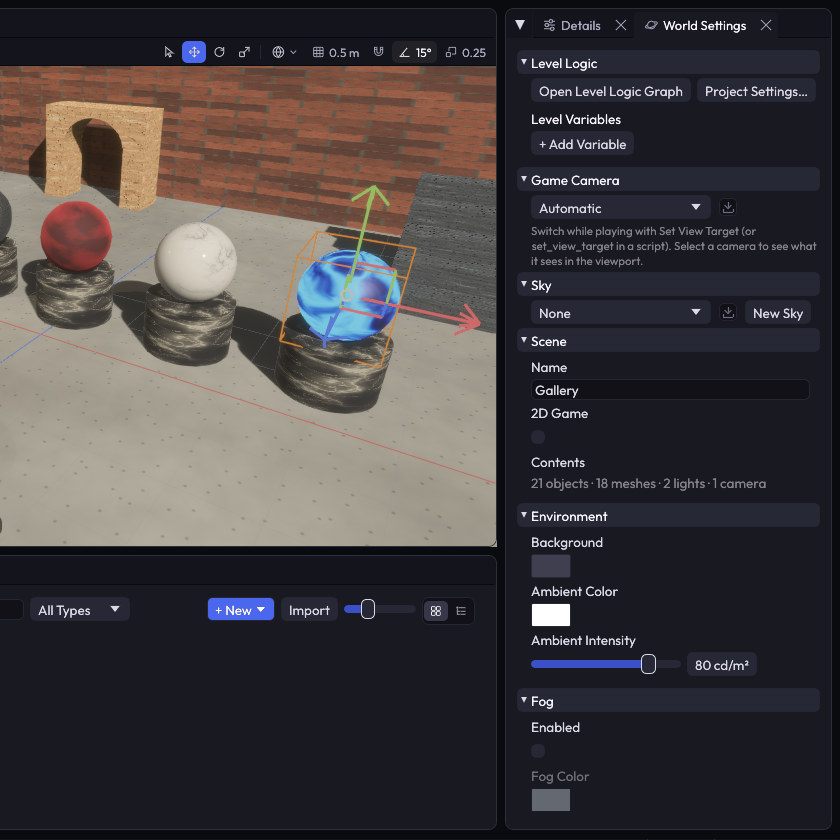
| Section | What’s in it |
|---|---|
| Level Logic | The Level Logic Graph and the level’s variables |
| Game Camera | Which camera the game looks through |
| Sky | The sky of the level, or a new one |
| Scene | The level’s name, the 2D Game switch and what’s in the level |
| Environment | Background and ambient light |
| Fog | Distance fog, with a glow around the sun |
| Post Process | Exposure, bloom, tone curve, vignette, chromatic aberration and color grading |
| Navigation | The walkable area for Nav Agents |
| Rendering | Anti-aliasing, ambient occlusion, contact shadows, shadows, volumetric fog, depth of field and motion blur |
In the browser
Web builds use WebGL2, so ambient occlusion, volumetric fog, contact shadows and depth of field are turned off there. Your level still opens: those effects are skipped.